Access your direct message conversation with this client. Send text, voice messages, images, and special action cards like payment requests and check-in requests.
Send and receive text messages in real time with read receipts and typing indicators.
Share images, voice messages, and files directly in the conversation.
Send payment links, check-in requests, and progress reports as interactive cards.
The chat tab embeds your full conversation with this client right inside the profile. You get the same experience as the main Messages page — message bubbles, timestamps, read receipts, and typing indicators — without having to navigate away.
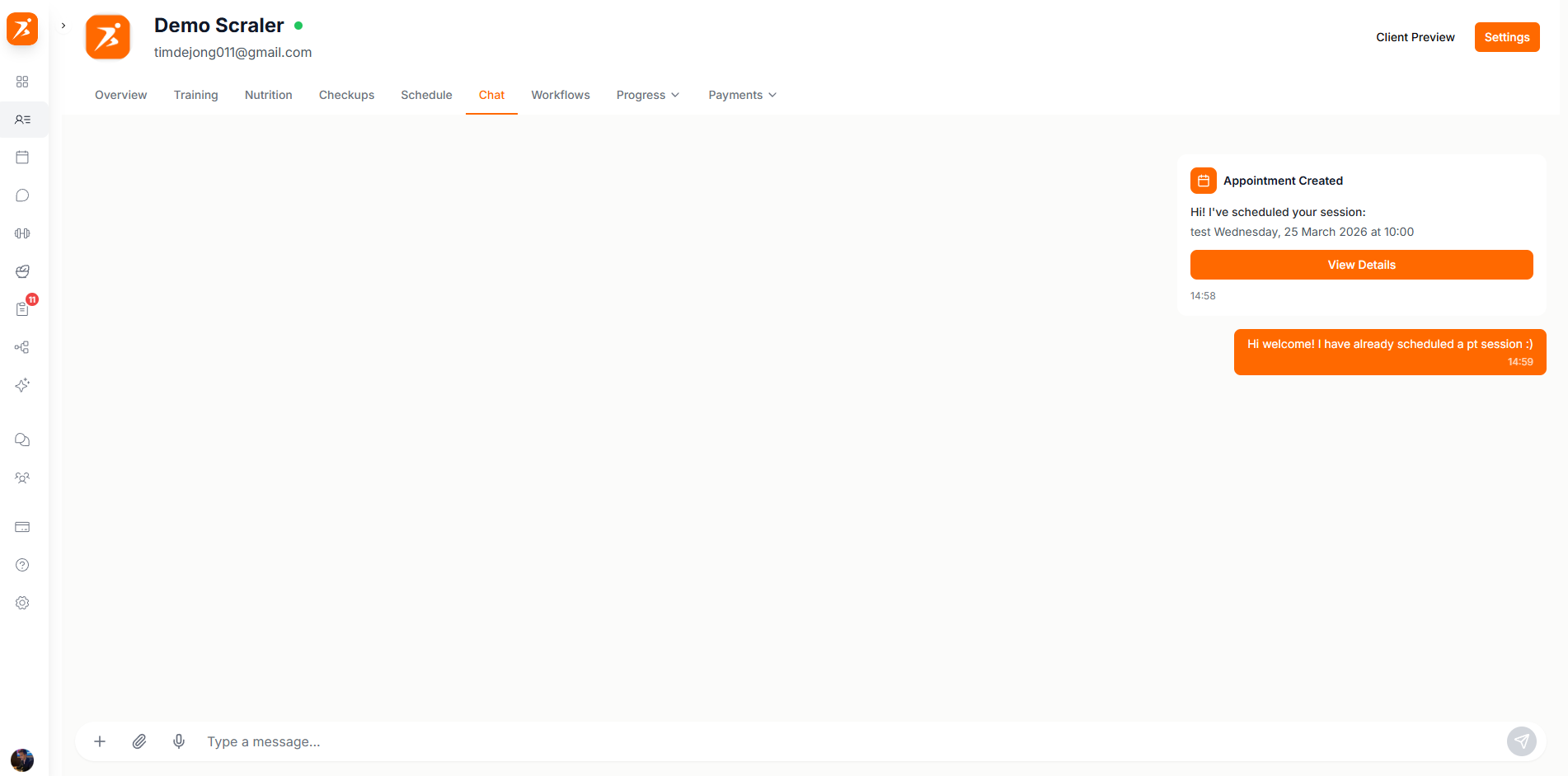
You can send more than just text. The chat supports several message types that help you manage your client relationship without leaving the conversation.
Text Messages
Standard text messages with emoji support. Messages are delivered in real time with read receipts.
Voice Messages
Record and send voice messages when typing isn't convenient. Clients can play them back in the app.
Images & Files
Share photos, workout screenshots, form check videos, or any file your client needs.
Payment Links
Send a payment request card that the client can tap to pay instantly through Stripe.
Check-in Requests
Send a check-in card that prompts the client to submit their progress photos and measurements.
Progress Reports
Share a generated progress summary as an interactive card the client can tap to view.
Messages are encrypted in transit and encrypted at rest in the database, and access is restricted to the trainer and client the conversation belongs to. Scraler does not use end-to-end encryption.
Encrypted in transit
Traffic between the app and Scraler runs over TLS.
Encrypted at rest
Message content and attachments are stored with AES-256 encryption at rest.
Access control
Row Level Security limits each conversation to the trainer and client in it.
Above the message input you'll find quick action buttons for the most common things you send — payment links, check-in requests, and file attachments. One tap to trigger each action.
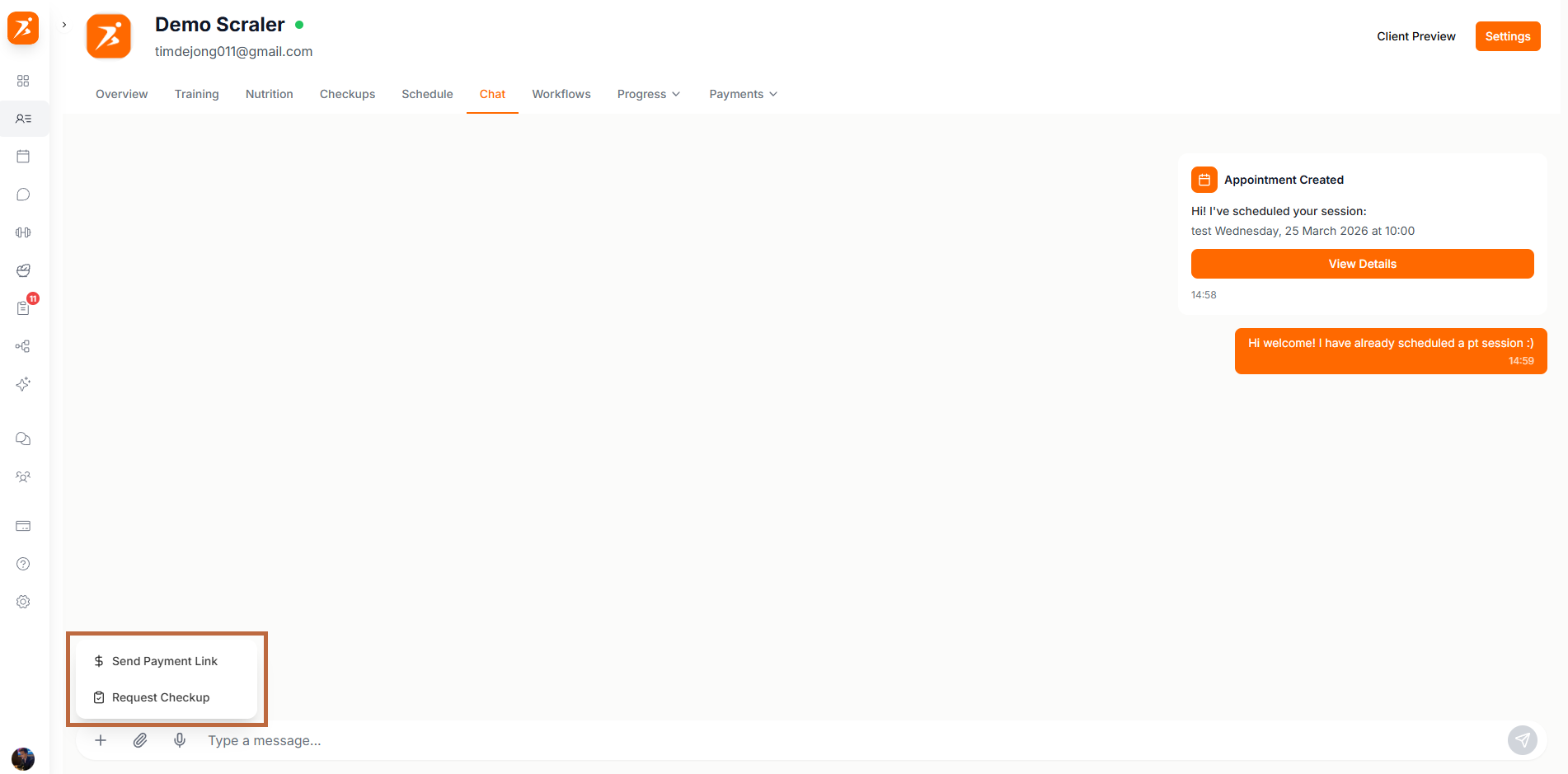
This is the same conversation you see on the Messages page — just embedded in the client profile for convenience.
