Manage your training schedule with an interactive calendar. Book sessions, set recurring appointments, and track payments.
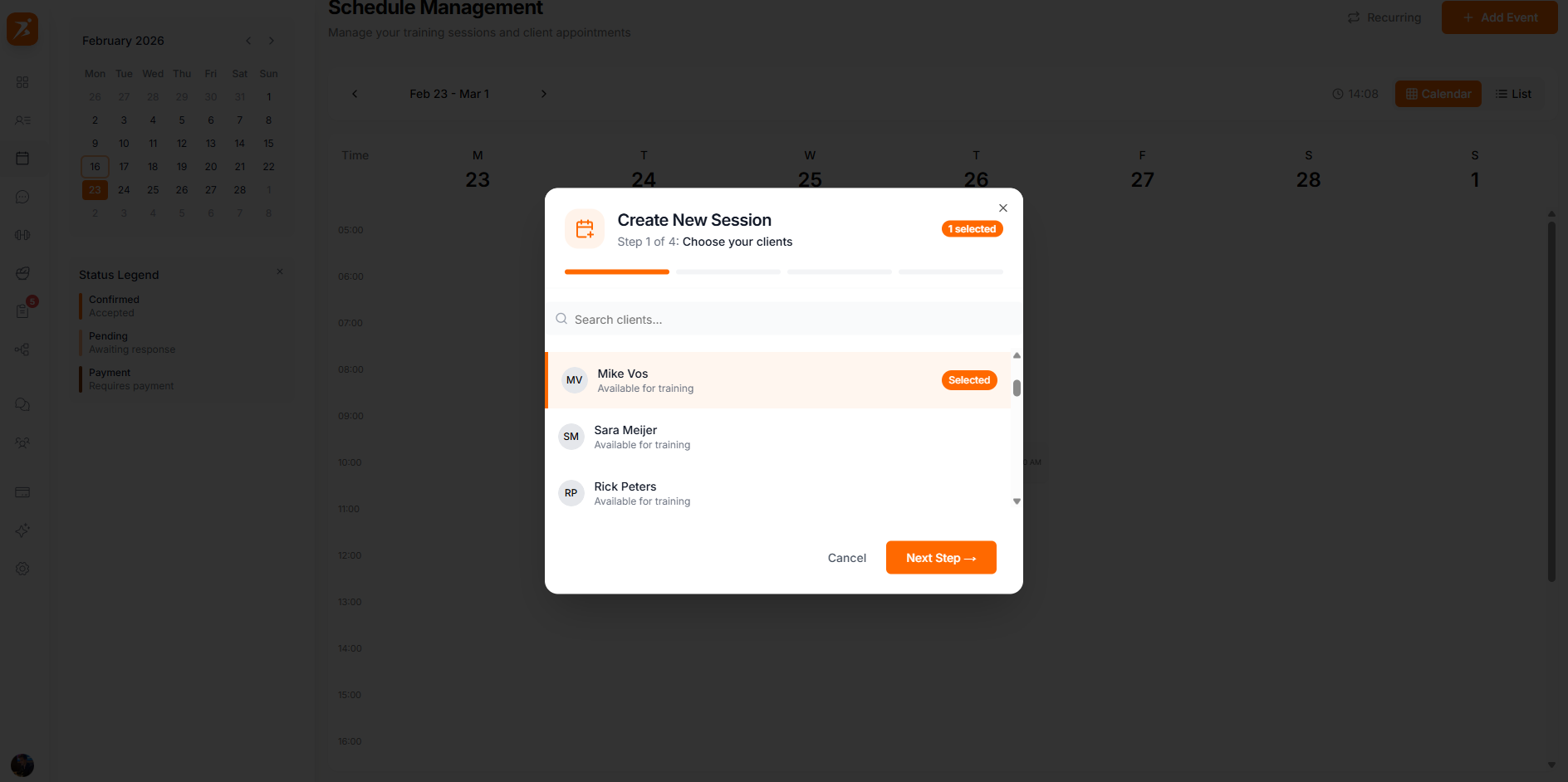
Use the 6-step booking wizard to create appointments: choose your clients, add session details, set the date and time, choose whether it repeats, set a price, then review and confirm.
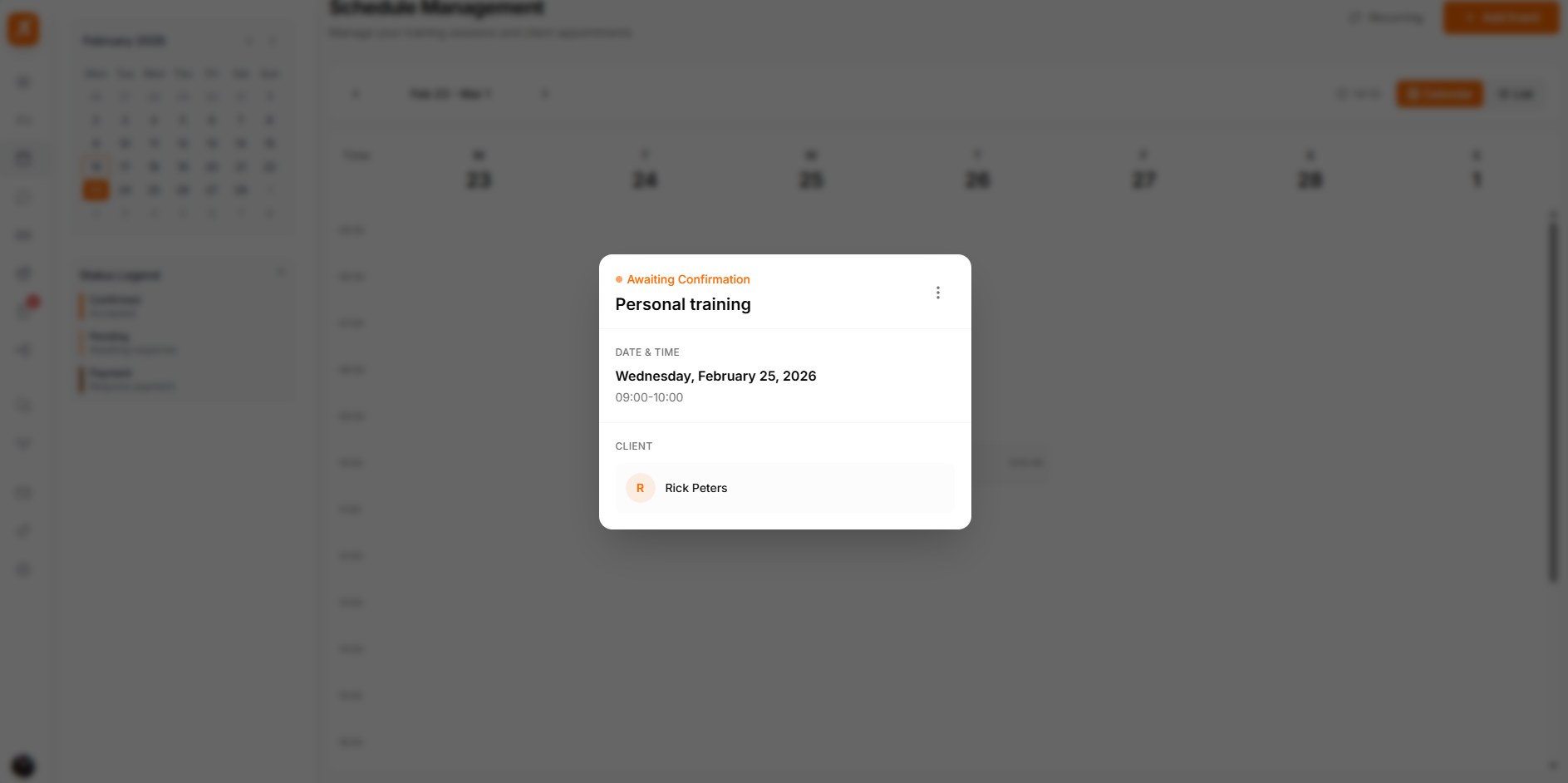
Click any appointment to view details, update status, manage payment, or reschedule.
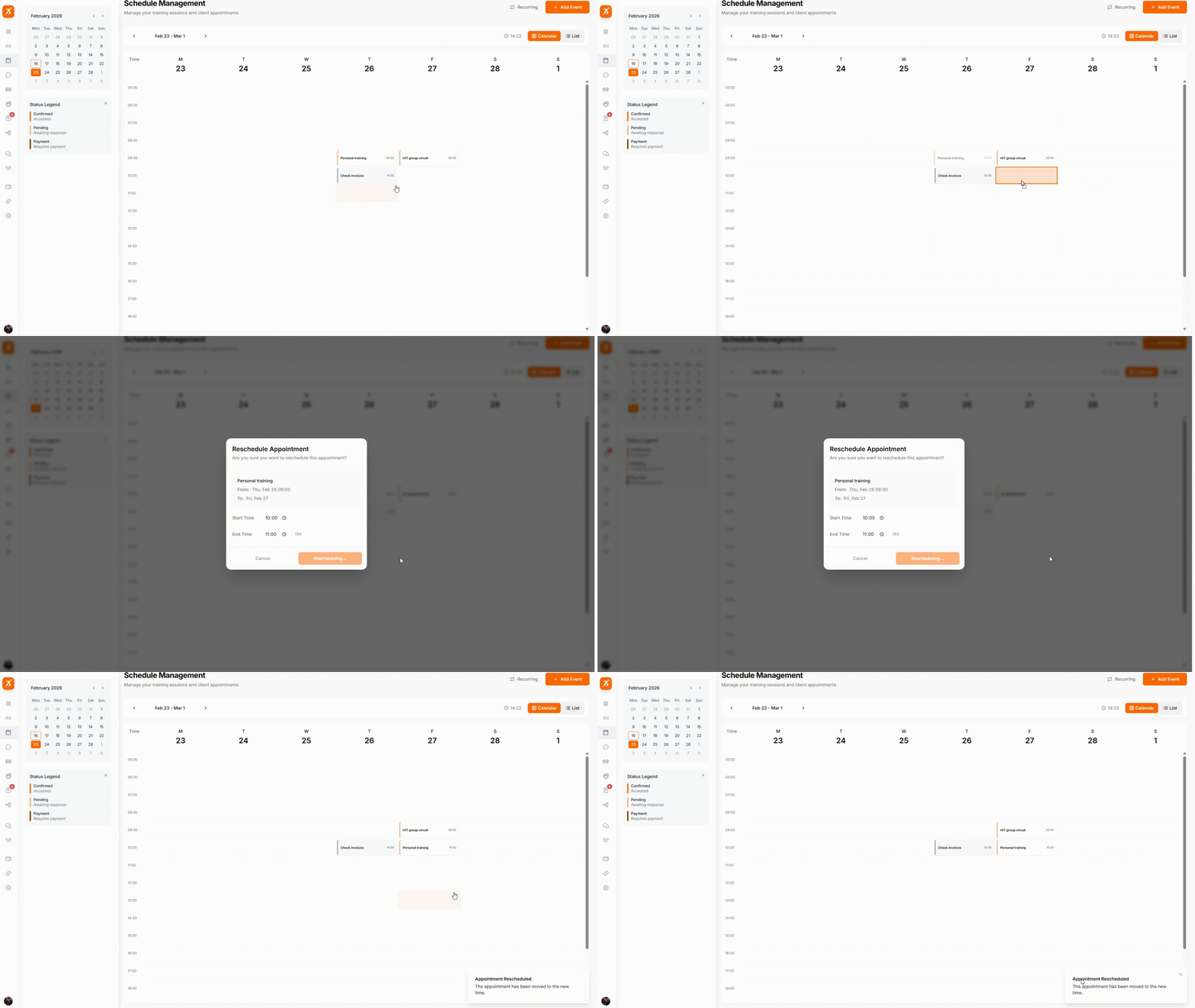
Drag appointments to new time slots to reschedule. Clients are notified automatically.
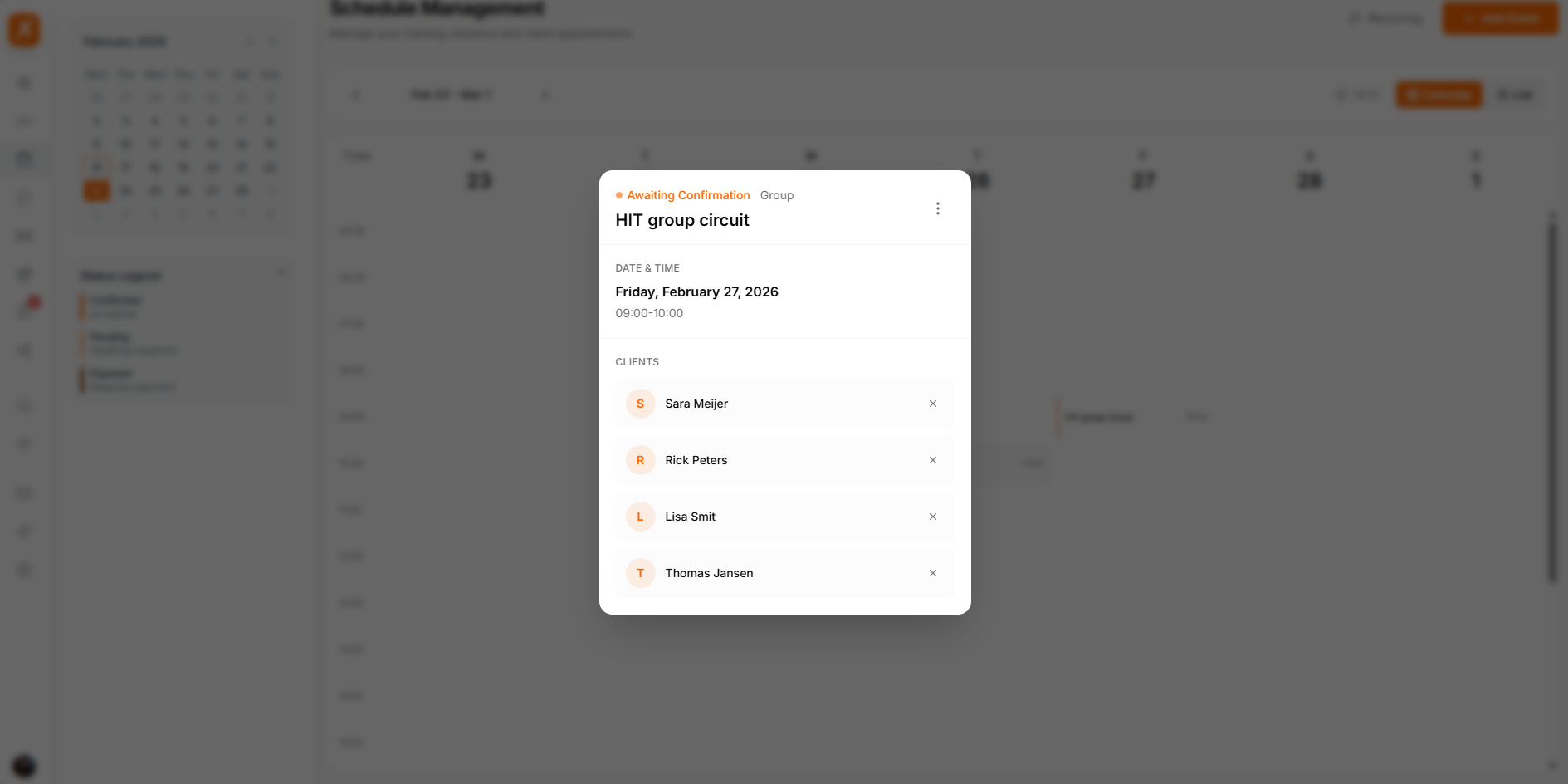
Book multiple clients into a single session. Track payment status individually for each participant and see total revenue at a glance.
Clients can also book directly from their dashboard or the mobile app, without you creating the appointment. They pick one of your configured session types and an open time slot, and the booking confirms immediately — there's no approval step to complete first.
A "Pending" badge on the calendar means the appointment is waiting on payment, not on your approval. Self-booked sessions are already confirmed the moment the client books — if you want to suggest a different time, message the client directly, since there's no built-in counter-offer option.
Two tabs in your schedule sidebar control what clients can book for themselves.
Set your weekly bookable hours. Clients can only choose slots that fall inside these hours.
Define what clients can book: a name, duration, buffer time between sessions, minimum notice, and an optional price.
Start scheduling smarter
Interactive calendar with drag-and-drop, recurring bookings, and payment tracking.
Get Started Free