Manage your Scraler subscription plan. Upgrade, downgrade, or view your billing history and invoices.
View your current subscription plan, features included, and billing details.
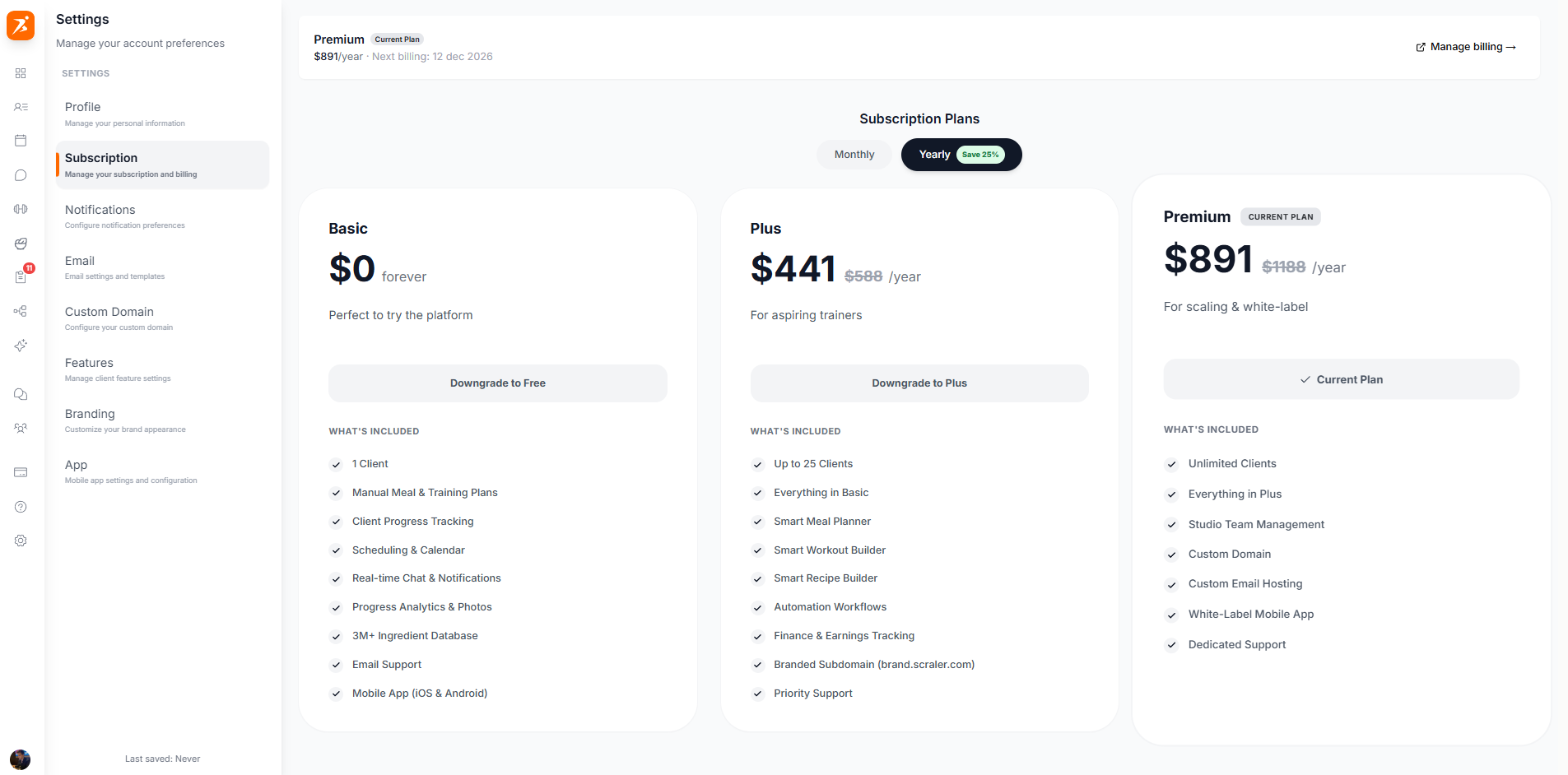
Your subscription summary shows your active plan, how many clients you're using, and when your next billing cycle begins.
The plan you are currently on: Basic, Plus, Premium, or Ultimate. Plus, Premium and Ultimate also show the active-client tier you selected.
How many active clients you have compared to your plan's limit.
The date your subscription renews automatically.
Choose the plan that fits your business. You can switch plans at any time.
0 active clients. A view-only tier that keeps all your data readable after a cancellation. You cannot add or edit clients on Basic.
Up to 50 active clients. Workout, program and meal plan builders, habit and cycle tracking, a 1 GB resources vault, and a branded subdomain.
Up to 100 active clients. Everything in Plus, plus unlimited AI generation, client payments and earnings, the community, the landing page builder, the mobile app designer, a 5 GB vault, and priority support.
100 to 500 active clients, in tiers. Everything in Premium, plus automations and workflows, studio and team management, a white-label app on the App Store and Google Play, your own domain and email, and a 20 GB vault.
Plus, Premium and Ultimate can be billed monthly or yearly. Yearly costs nine months instead of twelve, so you save 25%.
Every new trainer gets a 14-day free trial on Plus, Premium or Ultimate. You add a card when you pick the plan, but nothing is charged until the trial ends, and you can cancel any time before then. The trial is one per account, so if you cancel and come back later you subscribe without a trial.
Your plan is billed in USD, EUR, GBP or AUD, based on the country on your account. Prices differ between currencies. VAT or sales tax is added on top at checkout.
You can change your plan at any time from your subscription settings. Upgrades apply immediately and are prorated. Downgrades and cancellations apply at the end of your current billing period.
When downgrading, make sure your active client count fits within the new plan's limit. You won't lose any data, but you may need to archive clients to stay within the limit.
Before you confirm a downgrade, Scraler shows exactly what will happen: which clients will be archived to fit the new limit, and which client subscriptions will be cancelled. Nothing is deleted. Archived clients keep all their data and can be reactivated once you have room again.
Invoices and your payment method live in the Stripe billing portal. Open it with "Manage billing & invoices" at the bottom of the subscription tab.
Download PDF invoices for any billing period from the Stripe portal. They are generated automatically after each payment.
Update your card in the Stripe portal. Cancelling your Scraler plan is done in Scraler, not in the portal.
When you upgrade mid-cycle, you only pay the difference for the remaining days. Downgrades are not prorated and are not refunded. The lower price starts at your next billing date.
Changing plans never deletes your data. All clients, workouts, and plans are preserved.
Yearly billing costs nine months instead of twelve. That is 25% off the monthly price.
No lock-in contracts. Cancel your subscription at any time and keep access until the end of your billing period.
Each plan includes storage for your resources vault and exercise videos: 1 GB on Plus, 5 GB on Premium, 20 GB on Ultimate. Basic has no upload allowance.
