Your exercise library comes pre-loaded with 1,700+ exercises (all with animated GIFs). You can also create your own with custom images, videos, and instructions.
All exercises searchable by name, filterable by body part, and sortable by column:
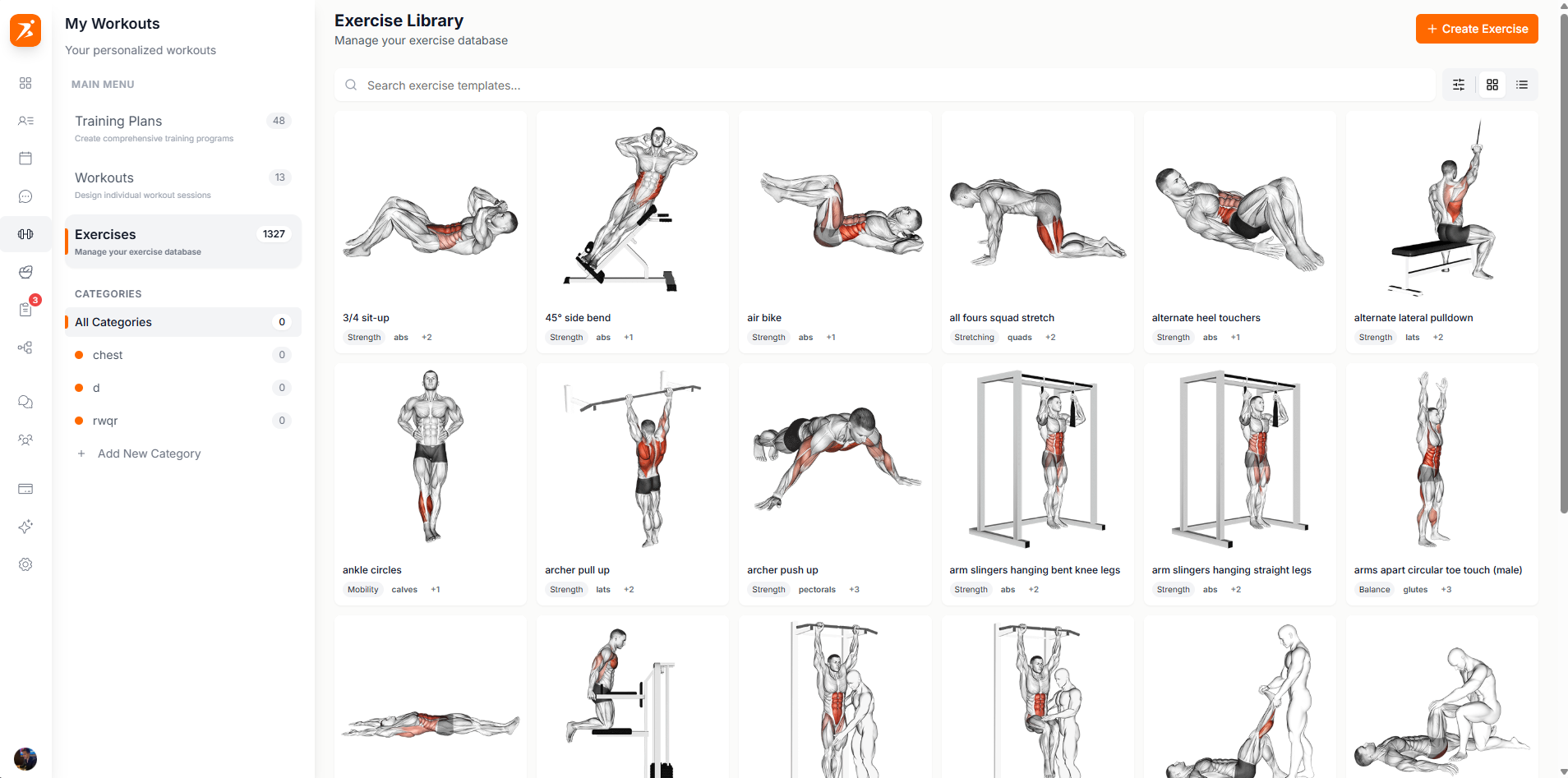
Screenshot: Exercise library
Show: exercise list with GIF thumbnails visible, body part filter active, column headers (Modality, Muscle Group, Category)
public/docs/exercise-library.png
Click column headers to sort. Hover over thumbnails to preview animated GIFs or videos.
Click "Create Exercise" to open the creation wizard. Enter name, type, target muscles, and equipment:
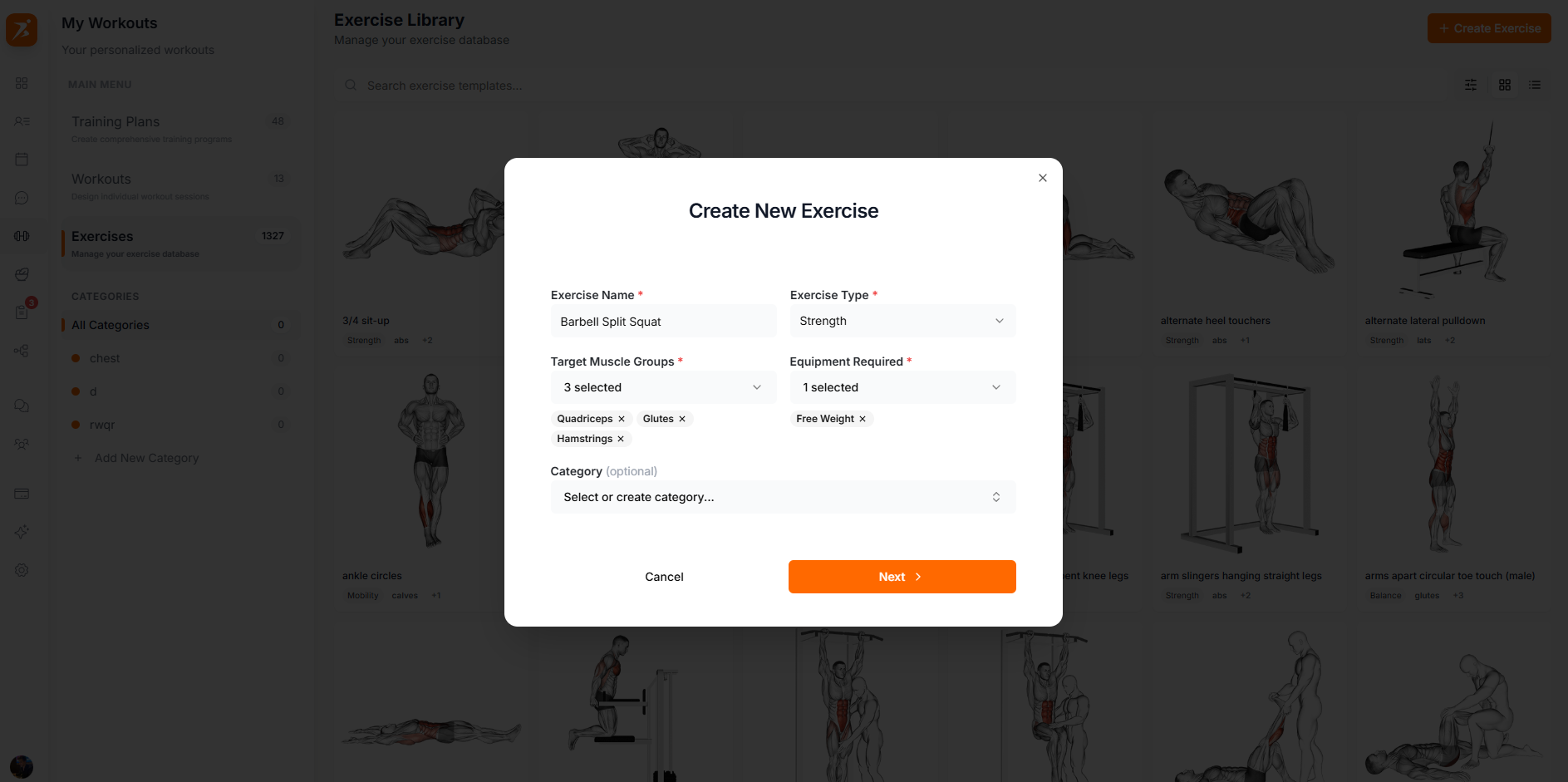
Screenshot: Create exercise wizard
Show: step 1 with exercise name filled in, type selected, muscle group chips selected (e.g. Chest, Shoulders)
public/docs/create-exercise.png
Upload an image (animated GIFs supported) and optionally link a YouTube demonstration video:
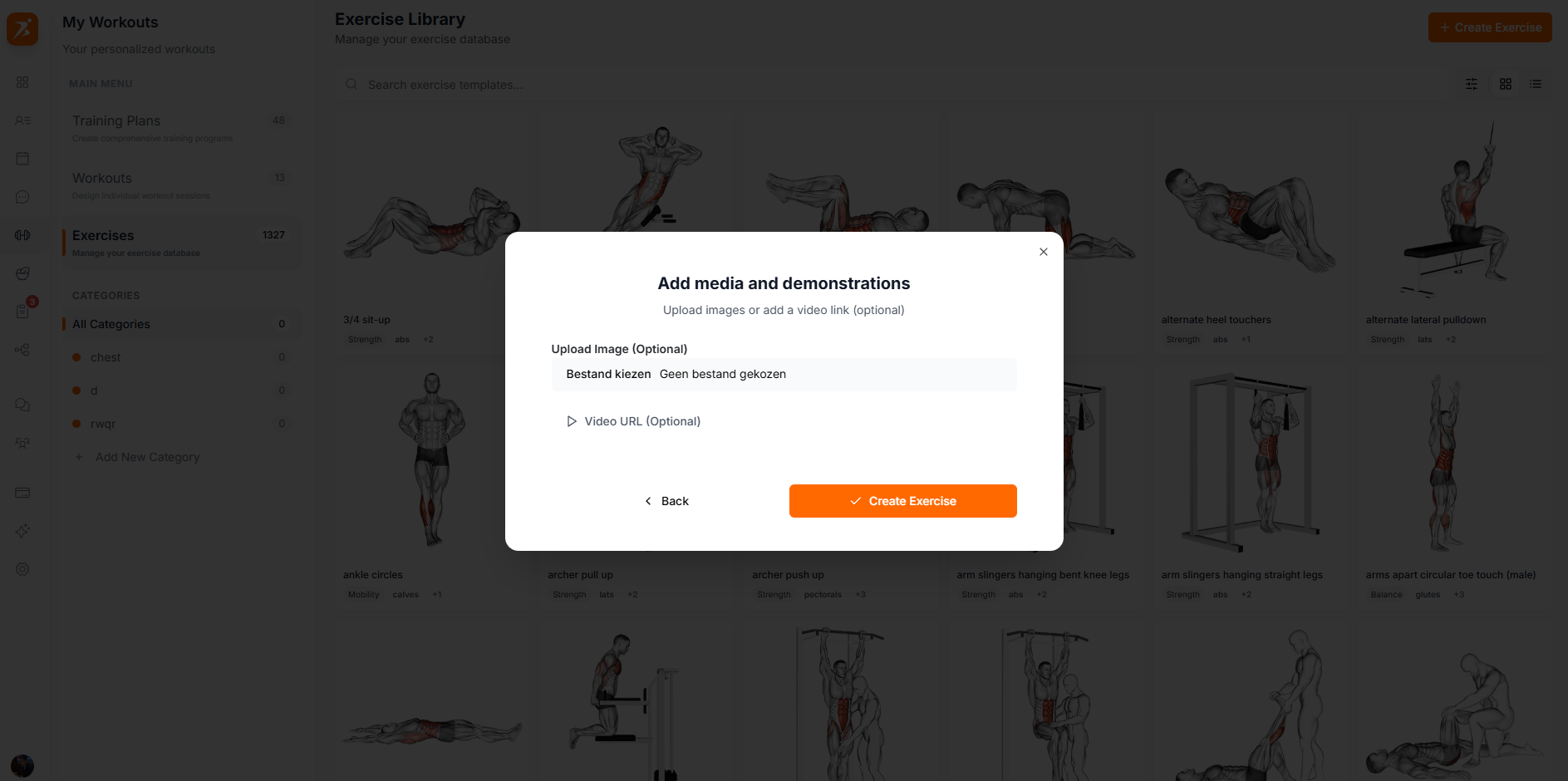
Screenshot: Add media & demonstrations
Show: media upload step with a GIF image uploaded and a YouTube video URL pasted in
public/docs/exercise-media.png
Filter and sort the 1,700+ exercise library:
Click the filter icon in the search bar to filter by body part: Chest, Back, Shoulders, Biceps, Triceps, Quadriceps, Hamstrings, Glutes, Calves, Core, etc.
Click column headers (Modality, Muscle Group, Category) to sort exercises. Click again to toggle between ascending and descending order.
Hover over any exercise for quick action buttons:
Edit
Modify exercise details
Duplicate
Create a copy
Category
Quick category change
Delete
Remove exercise
1,700+ exercises ready to go
Pre-loaded library with animated GIFs — plus you can add your own.
Get Started Free