See exactly what your client sees on their mobile app. Preview their dashboard, workouts, meal plans, and more from their perspective.
A real-time phone mockup showing exactly what the client sees on their device right now.
Navigate through the client's home, workouts, meal plans, and progress screens.
Confirm that assigned plans and content look right before the client sees them.
The preview tab shows a phone-shaped frame displaying your client's mobile app. It renders the actual content they would see — their dashboard, today's workout, assigned meal plan, and upcoming appointments. Everything updates in real time as you make changes in other tabs.
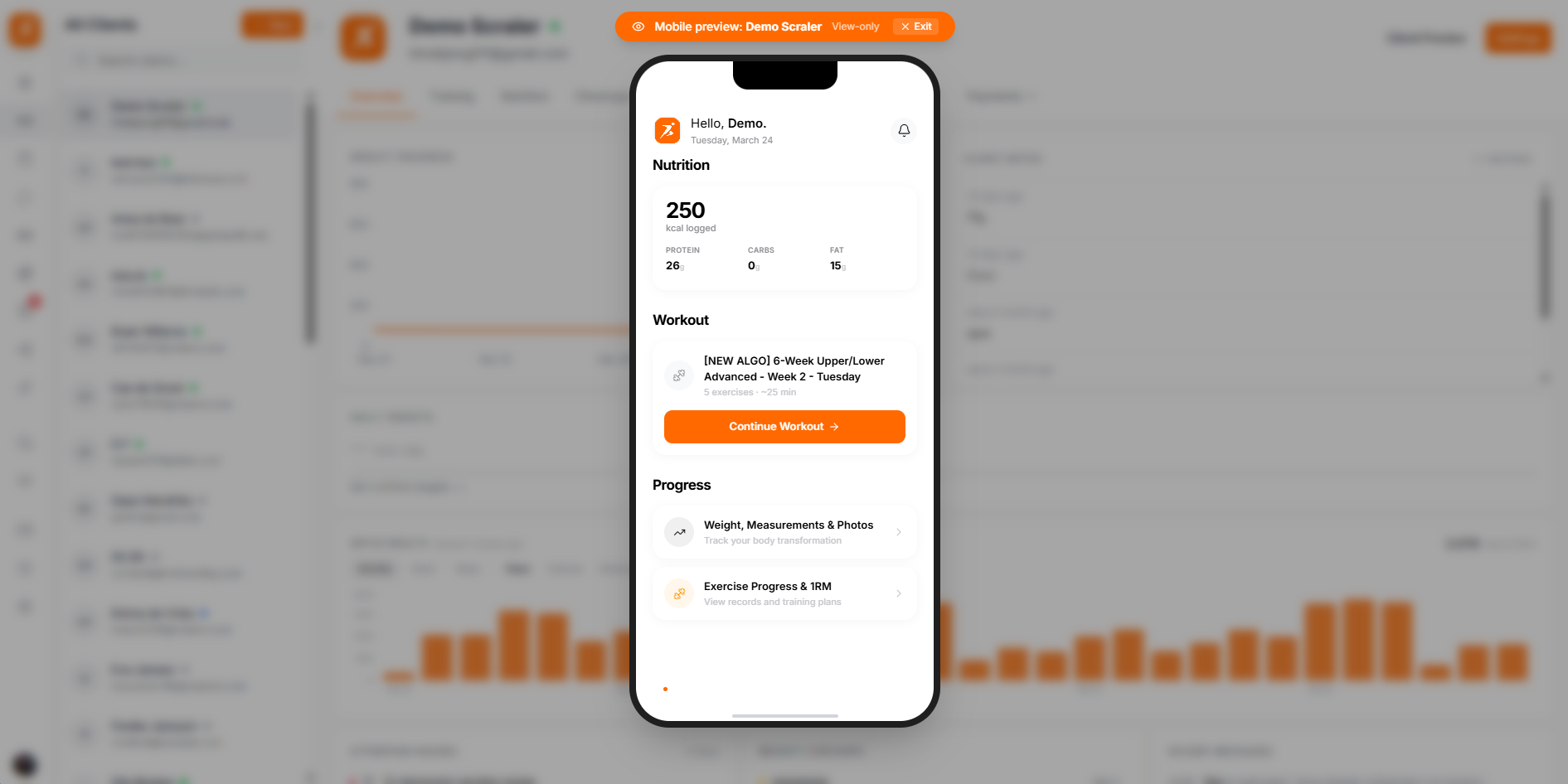
Screenshot: Client app preview
Show: browser mockup of the profile tab, displaying the client's home screen with today's workout card, meal plan summary, and upcoming appointment
public/docs/client-profile-preview.png
You can navigate through the same screens your client has access to in the mobile app.
Home Dashboard
The client's main screen with today's workout, meal plan summary, and next appointment.
Workout View
How the assigned workout appears with exercise list, sets, reps, and rest timers.
Meal Plan View
The daily meal plan with recipes, ingredients, and macro breakdowns.
Progress View
The client's progress charts, weight history, and body measurements.
The preview is there to help you deliver a polished client experience. Here are the most common reasons trainers use it.
Verify content before assigning
Check that a training plan or meal plan looks right on the client's screen before they open the app.
Troubleshoot client issues
When a client says something looks wrong, pull up their preview to see exactly what they see.
Demo your service
Show potential clients what the app experience looks like during a sales call or consultation.